I love the new aluminum Apple keyboard, but am too cheap to buy the iMac it usually comes with. I figured if I just picked a used one up on eBay and hooked it up to my Sony VAIO running Windows 7 x64 what’s the worst that could happen? It worked surprisingly well, that’s what happened. Windows detected it as an Apple keyboard without any 3rd party drivers and with the exception of the Function (Fn) keys, I was using the keyboard in seconds. A few hours of use later I found myself in a bit of a pickle though…the Apple keyboard has no Print Screen key, no Num Lock or Insert and it’d sure be nice to get those function keys to work. Here’s how I did it.
[step 1] Grab a free copy of SharpKeys 3.0 from Codeplex
[step 2] With your Apple Keyboard plugged in, unzip the SharpKeys download to your desktop and run the SharpKeys.exe executable.
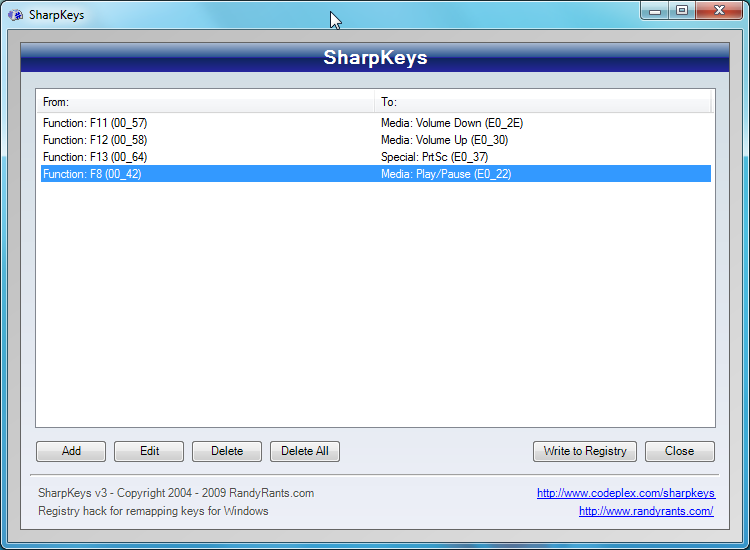
[step 3] Click Add to add a new key mapping.
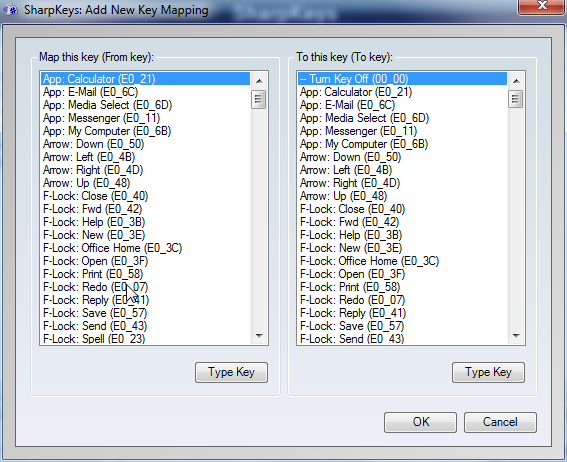
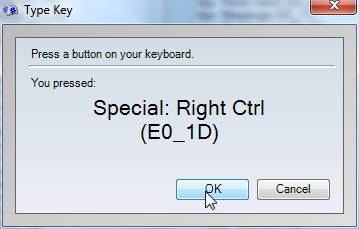
[step 4] Click Type Key to associate a key with the “From Key” mapping and likewise with the “To Key” mapping or just pick one of the choices and click OK.
[step 5] Click Write to Registry when you’re done adding all your key mappings.
[step 6] Log out and back in or reboot to use your new special keys.
That’s it.
–UPDATE–
So this Thanksgiving weekend I finally had time to re-install OSX on my Macbook (tried creating a partition for windows using boot camp and was told to re-install OSX – just Google “bootcamp partition error”). After installing a fresh copy of OSX, the process getting Windows 7 x64 Pro installed on my Macbook with the boot camp Assistant went exactly as advertised.
According to the BC Assistant instructions the last step of the process involves installing the boot camp software within Windows using the OSX installation DVD. Installing the software provides drivers for things like the trackpad…and – drum roll – the keyboard.
With the software installed and running in the notification area, guess what all the Fn buttons on my MacBook and even the USB aluminum keyboard work as advertised (including Eject, etc). So I figured, if the windows boot camp software works on a MacBook running Windows 7, why couldn’t it work on a Sony VAIO or any computer running Windows 7?
Here are the screen shots of installing boot camp on my Sony VAIO running Windows 7 32bit Professional (this procedure worked for me, but it it may very well make your computer unstable. Please see the disclaimer before you continue):
[step 1] Insert OSX Leopard DVD.
[step 2] Ignore the autorun notification and right-click the DVD icon while holding down the shift key, then choose “Open command window here.”
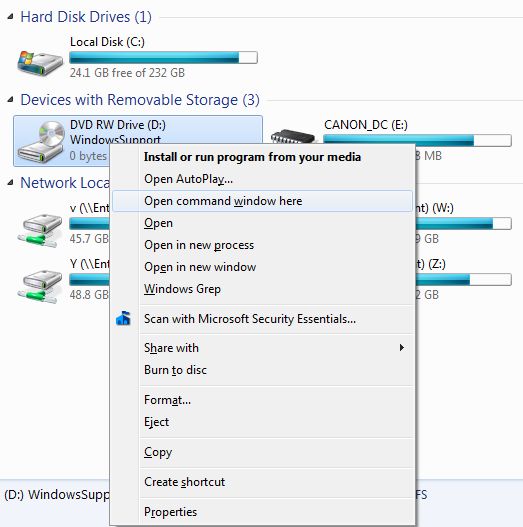
[step 3] This should pop up a command promt at the root directory of your OSX dvd. Change directory to the boot camp directory by typing “cd boot camp”. Then type setup.
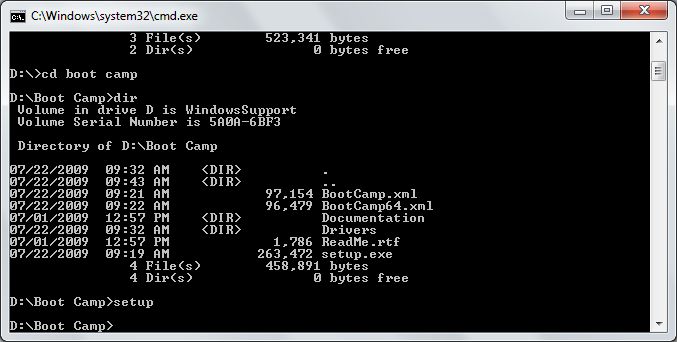
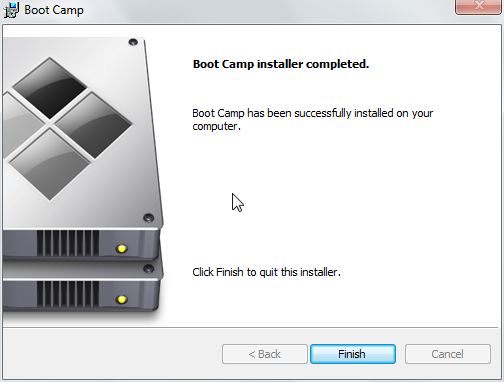
[step 4] This will launch the boot camp installation wizard. Here are some screenshots of the procedure. A lot of drivers were installed (but since no matching hardware was found, they all remain dormant).
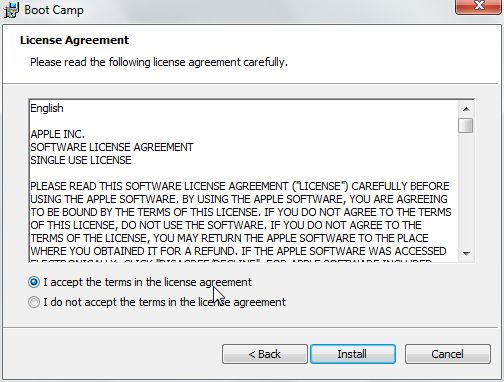
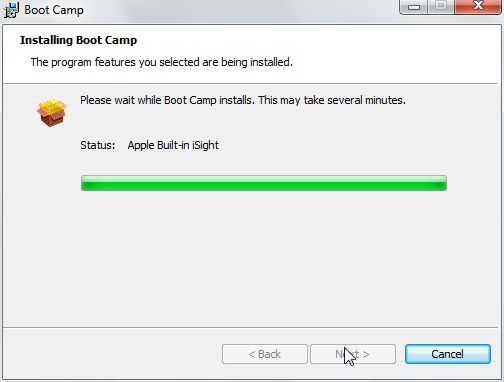
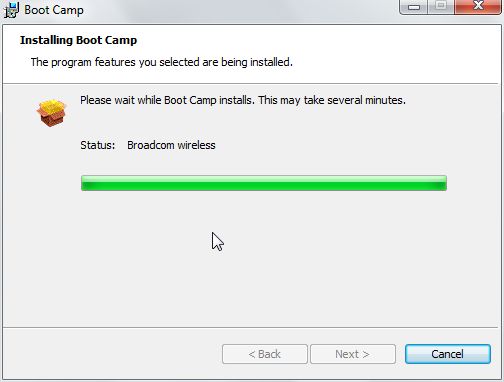
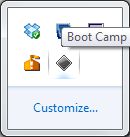
[step 5] After the installation and subsequent re-boot, a gray diamond shaped icon will appear in the notification area.
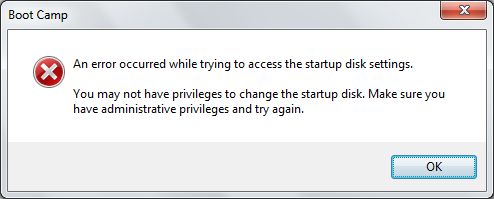
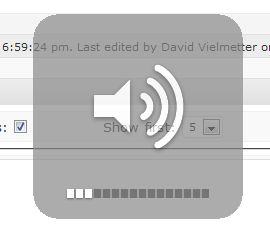
NOTE: when the icon is right clicked (or the boot camp icon in the control panel is launched), the following error is seen. This is probably because the underlying MacBook hardware can’t be found on this Sony VAIO. The keyboard buttons, however now magically work. Even with the faded volume status and sounds when increasing/decreasing the volume.
The brightness adjusting keys don’t seem to work though and I’m still testing whether or not sharp keys detects more keys with the boot camp application running in the notification area. I will update this post when I find out more.
Comments
24 responses to “Map Apple Keyboard Fn keys in Windows 7”
For the real Mac <-> Windows keyboard map (it’ll give you cramps) checkout Apple’s Website
Great! I’m gonna go out and get one of those keyboards, and use your method for re-mapping. Thanks.
NOTE: not all apple keyboard keys can be mapped using windows and Sharp Keys (SK). Some keys just don’t show up in the SK key identifier (like F10 – mute, eject, fn and some others)…just FYI
David, any idea how to remap “Fn” key to “Insert” key (my specific need)? I have tried sollution described on http://www.autohotkey.com/forum/topic41397.html , which is unfortunatelly also not able to detect the Fn key on this keyboard (under WinXP)… Thank you for any suggestions.
@Fildo
Unfortunately the F13, Fn, Eject, and several other are mapped to non-existing windows keyboard functions. In other words they are keys that don’t have a windows equivalent. To see all the keys that fit this category see apple’s website:
Support Article KB-HT1216
Most of the keys that have a dash (-) next to them, you won’t really be able map in windows because they don’t exist in windows.
Sorry,
David
David,
thx. anyway. This is the only thing about this great kayboard, I would not be able to move through 😛 . Insert is a key of very frequent usage for me, and its location is thus pretty crucial…
Filip
i mapped insert to f17, works fine here.
Can anyone point me to an application that would let me add key combinations to replace “delete”, “printscreen”, “insert” and the other missing keys? I’m fine with FN key not working (since I have no option), but I’d like to use shortcuts to replace the missing functions. I find “delete” particularly necessary. (not that I ever make mistakes)
btw, my keyboard is the small aluminum apple, no num keypad.
@clusterjuice,
I used a little program called autohotkey for mapping key combo’s to applications. You can find it at:
http://www.autohotkey.com/
If that doesn’t work, here is a MetaFilter thread with a number of responses on macros and keyboard shortcuts:
http://ask.metafilter.com/20553/How-do-I-make-my-own-keyboard-shortcuts-in-Windows
I’ve just bought an Apple keyboard with NUM keypad today.
Windows 7 is pretty good, it detect the driver and installed the driver for the keyboard.
I followed the instruction of using Sharp Keys, and it worked now.
It took me some trials and errors until I get it right. The clue is, you have to do trials and errors.
Oh for your information: I am running Windows 7 Ultimate 32Bit SP1 on my HP Pavilion 2.4GHZ computer from 2008.
I used the Snow Leopard DVD coming along with the 13 inch macbook pro and just copied the keyboard drivers and bootcamp.msi to my TOSHIBA Laptop hard drive, installed them and restarted my computer, looks like everything worked, including the birghtness keys(F1 & F2) and fn+Shift+F11 as printscreen key.
I’m on windows 7, the problem is I have to use fn to make the special keys as regular function keys(except F3-F6). So F11 turns down the volume and fn+F11 enters full screen mode.
I am wondering if there’s a solution to this, I’ve tried to modify the OSXFnBehavior in Registry Editor, looks like this is not working for me.
This is what I was looking for. I just installed bootcamp on my HP probook and all keys of Apple Keyboard are working now. I needed HOME, Backspace and END keys badly. Thanks a lot.
So, if I’m not mistaken, you cannot map Fn keys in Win7 with the Apple keyboard? I notice F1 and F2 are darker and brighter screen. and F7 and F9 are rewind and fast forward. There is no way to use F1 as Help AND as lower brightness?
I’m afraid not…When I tried to map the Fn key on the mac keyboard SharpKeys just doesn’t register the press. It’s like it doesn’t exist. It could be a driver issue and perhaps there are more up-to-date drivers out there…but I’ve frankly stopped using my MAC keyboard for the PC because I’m doing a lot more remote administration now than I used to so I really need a lot of my special keys to work.
-Sharpkeys indeed won’t work for the special keys like fn.
-Bootcamp only comes with a mac; I only own a mac keyboard.
I found applewirelesskbrd on codeplex and that works like a charm, even with the standard OSD icons from apple. Even the FN+BCKSPC for delete. (Y)
http://applewirelesskbrd.codeplex.com/releases/view/58993
hacky,
Thanks for sharing. Sounds promising, I’ll have to take a look today. Thanks again!
I have found a forum, where some guy created a driver for all Windows versions for this keyboard: http://forum.bimoid.com/showthread.php?p=3289
All keys work and can be remapped.
Hey Piter, http://forum.bimoid.com/showthread.php?p=3366 worked for me just fine, thanks!
http://uxsoft.cz/projects/applewirelesskeyboard/
that works
http://uxsoft.cz/projects/applewirelesskeyboard/
that works.
None of the suggestions in the comments section above, including the recommendations in this article work for an Apple wired keyboard that’s used on a Windows PC. The issue is not that the keyboard doesn’t detect in Windows. There’s zero problems in getting the hardware to work with Windows OS.
The issue is that all of the F1 through F19 keys only work in conjunction with the Fn modifier on the apple keyboard – i.e. if you want to send F10 to the computer, you need to hit Fn+F10 on the Apple keyboard in Windows.
All of the helper applications that are recommended in this article and in the comments section, fail to address the problem with using an Apple keyboard on a Windows PC. Namely, in SharpKeys if I go to “Add”, I can type Fn+F12 in the “map from” box, but I cannot type F12 in the “map to” box because the latter is not recognized by the application when I depress F12 without the Fn modifier.
F*****g LAD!
Mr. DAVID VIELMETTER, I need the fn Keys visual and working of toshiba into my compaq laptop.
how can i do this pls help me.
pls watch this video sir https://www.youtube.com/watch?v=Sba5-Xor_fo
i need like this………..
pls help me…………….
i am waiting for your rply…………..