Heard about WineBottler for the Mac? It’s open source software that lets you “bottle up” Windows applications and run them on your Intel Mac OS X. Since there aren’t any good or free usenet downloaders available for the Mac (boo), I tried bottling up Grabit from Shemes and it works! Here’s how:
UPDATE – Some of you have sent me emails about these instructions being confusing and/or not working. To clarify, I am re-documenting the entire process of downloading, installing and configuring the free Usenet downloader called Grabit from Shemes on Mac OS X 10.6 using Wine Bottler:
[step 1] Download a copy of Grabit.
[step 2] Download and install WineBottler.
[step 3] Double click the downloaded Grabit installer exe file (GrabIt172b4.exe).
You’ll receive two warnings:
- This is an application downloaded from the Internet…blah blah – Click Open
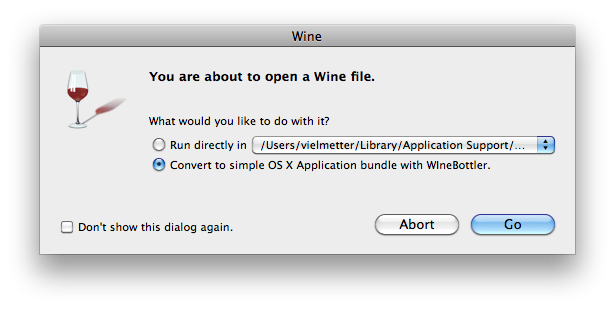
- You are about to open a Wine file – Select the “Convert to simple OS X Application bundle…” then click Go

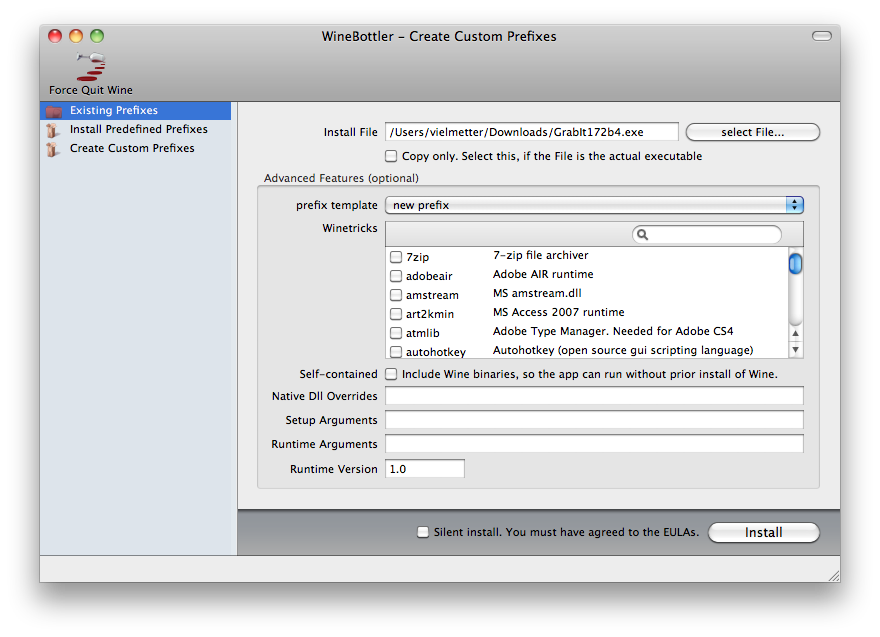
[step 4] Next the WineBottler Prefix creation dialog will be displayed. A prefix in WineBottler is like a cut down version of Windows. Each prefix has a C: drive and a set of minimum DLL’s to emulate Windows. We’ll be creating a new prefix and with Grabit in that prefixes C:program filesgrabit directory.
In this dialog you should not make changes, just leave everything as set and click the Install button.
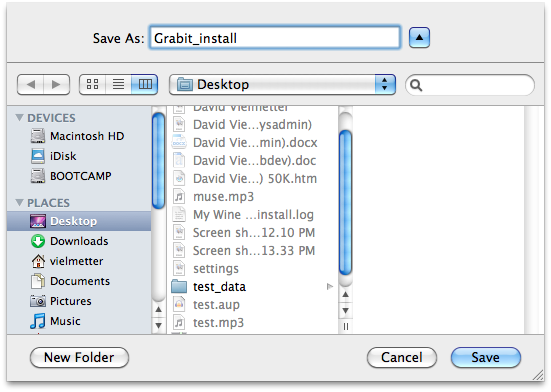
[step 5] Next, specify a name and location for your WineBottler App I chose the Desktop as my location and Grabit_install as my App name.
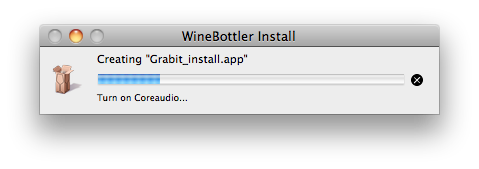
NOTE: You will now see a progress dialog and a pop-up, indicating that your App is being created.
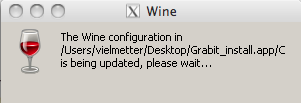
[step 6] Next you’ll see the installation prompts for the Grabit Windows installer. Lets click next through this wizard leaving settings set to defaults (un-check the launch Grabit checkbox in the final step).
[nggallery id=37]
[step 7] After you click finish in the install wizard, your prefix will complete.
You’ll be asked which (exe) or executable file to launch when you double-click the prefix. It is important that you select the Grabit.exe program we’ve just installed inside that prefix.
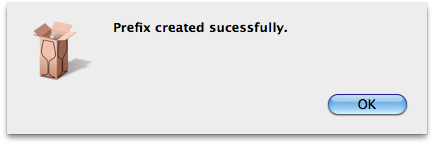
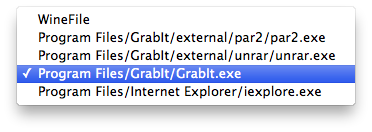
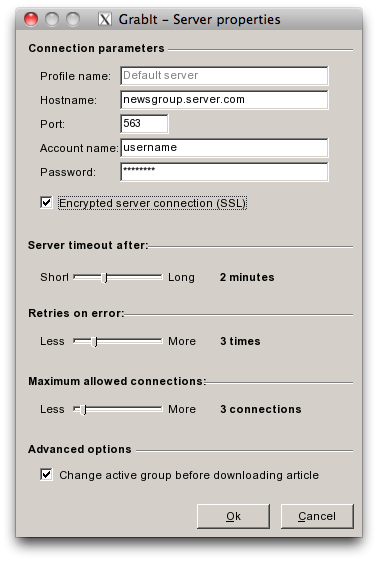
[step 8] The first time you launch your new Grabit App/Prefix (mine is now on the desktop called Grabit_install and it looks like a bone), you’ll be asked to enter your usenet server and optionally login info, but you can do this later in preferences too.

[step 9] Once Grabit is fully launched, you can click Edit -> Preferences at any time to make changes to your download locations (where the downloaded files will be stored).
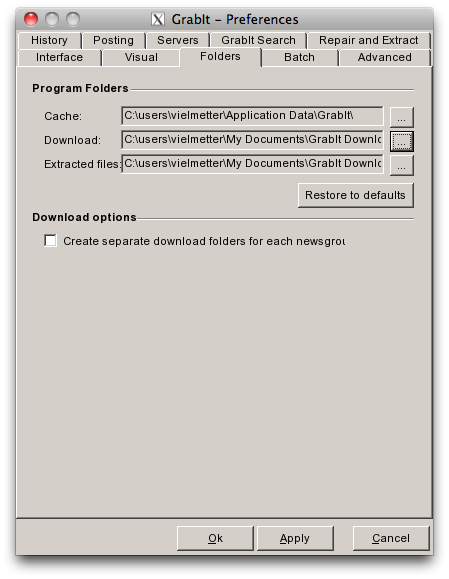
And to change the usent server or its username/password just right-click the default server and choose properties.
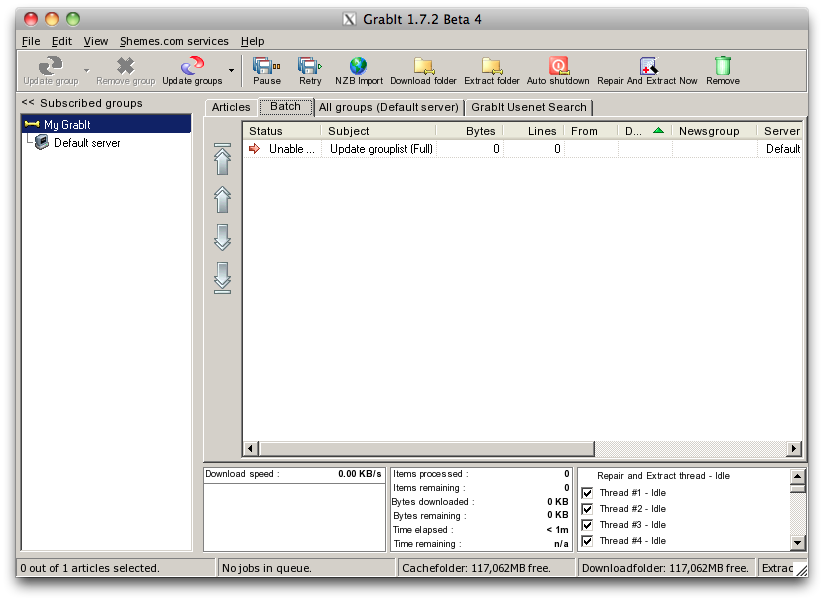
That’s it.
Comments
15 responses to “Grabit on the Mac”
Thank you for this. I am really pleased i found your link. Grabit is one of my favorites and i have been search for a Mac alternative. Thanks again!
Thank you indeed, it works, but I can’t find the downloadfolder on my mac ….
Yes, by default the download directory is going to be some location inside the prefix (usually located in ~/Library/Application). You can find this folder by opening the WineBotter program itself and waiting until it has located all of the prefixes you have created. Then for each prefix listed in the main window, in the top left hand corner you’ll find a magnifying glass – if you click it, you’ll be taken to the location of the files that make it up. The structure will look like the C: drive of a windows installation for each prefix with a Program Files folder, etc. In your case Wim, the download folder is probably in this C: drive somewhere.
It’s probably easier for you to just change the location of your downloads in the grabit preferences window though. To do this, fire up grabit, click Edit->Preferences and select the Folders tab. Then just browse to any folder on your Mac and save. (screen shot http://www.kazzu.be/pchelpen/images/stories/filesharing/grabit5.gif)
Ive been looking for this for ages grabit is my favourite site many thanks tommy b
I appreciate your effort, but would you please re-write your instructions, specifically from step 4 on?
Your screen shots should include full visual cues to be genuinely helpful. For example, I hit a brick wall at your step #4 because your instructions are unclear re the precise location in that dialog box to place the amended prefix, etc. And I see a similar problem with step #5…
David,
I’ll look at the instructions again tonight.
David,
I went through the steps on my MacBook Pro with Snow Leopard and the latest version of WineBottler and encountered no problems. I updated some wording in the instructions, but feel that overall it does a good job of describing the steps.
David
Hello David I’m following your download instructions for the wine bottler app and it’s taking a very long time to install, any suggestions?
Hmm, one thing you could do is install it on a Windows computer and then just copy the files from c:program filesshemesgrabit*.* and put them into a prefix.
Hi,
I am having a problem with step 8, what hostname should I put? I followed your instructions step by step, but when i reach step 8 I keep getting wrong host name. Please help me out, thanks
You’ll need to put the hostname of your newsgroup server (usually this is something you’ll be provided with when you purchase a newsgroup account). If you purchased news server access from say giganews.com, your plan will include a server hostname or IP address, a username and a password. The server IP address or hostname you get from giganews is what you enter in step 8.
I am trying to install grabit on my friends macbook running leopard OS X (think 1.4)
but get stuck on step 4, if i tick ‘copy’ in case of actual exe , I can get installer seeming bottled but it will not run.
Any ideas m8?
Great TUT btw !!! 🙂
Thanks (from the Netherlands)
very much for this incredible tool.
I’ve downloaded and installed it today and it works how it has to be.
It works.. but i have to wait a long time the app starts up?
Starting the app the fist time takes time, but subsequent starts should be faster because wine is already running.