I’ve been fine tuning my ShowAnalyzer settings for a while now and think I’ve gotten them pretty close to ideal. ShowAnalyzer is the software I use to batch analyze DVR recordings and mark ad segments within so that SageTV can automatically skip them during playback. It has a built in tool for fine tuning called SchoolHouse which allows you to see how ShowAnalyzer uses settings to identify ads and commercials. Using this tool, I’ve determined the optimum values to skip ads perfectly.
Here are the custom profile setting values I use with ShowAnalyzer 0.97:
Length Limits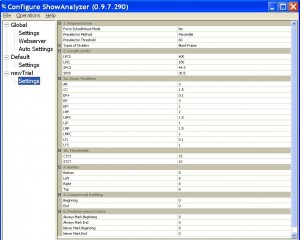 LPCS 400
LPIC 180
SPCS 44.5
SPSS 35.5
Score Modifiers
AR 3
CC 1.5
EP+ 0.1
EP- 3
EP? 1
LHP 2
LHPC 1.5
LLP 1
LMP 1.5
LMPC 1
LTL 0.1
LTS 1
Thresholds
CTST 15
STCT 10
Border
BOTTOM 8
LEFT 8
RIGHT 8
TOP 8
Commercial Padding
BEG 0
END 0
Predetermined marks
all 0
LPCS 400
LPIC 180
SPCS 44.5
SPSS 35.5
Score Modifiers
AR 3
CC 1.5
EP+ 0.1
EP- 3
EP? 1
LHP 2
LHPC 1.5
LLP 1
LMP 1.5
LMPC 1
LTL 0.1
LTS 1
Thresholds
CTST 15
STCT 10
Border
BOTTOM 8
LEFT 8
RIGHT 8
TOP 8
Commercial Padding
BEG 0
END 0
Predetermined marks
all 0

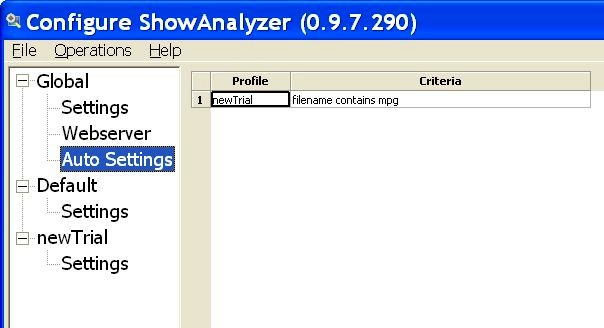
When you’re not using the default profile in ShowAnalyzer, you must specify your profile and which files to use it on in Autosettings.
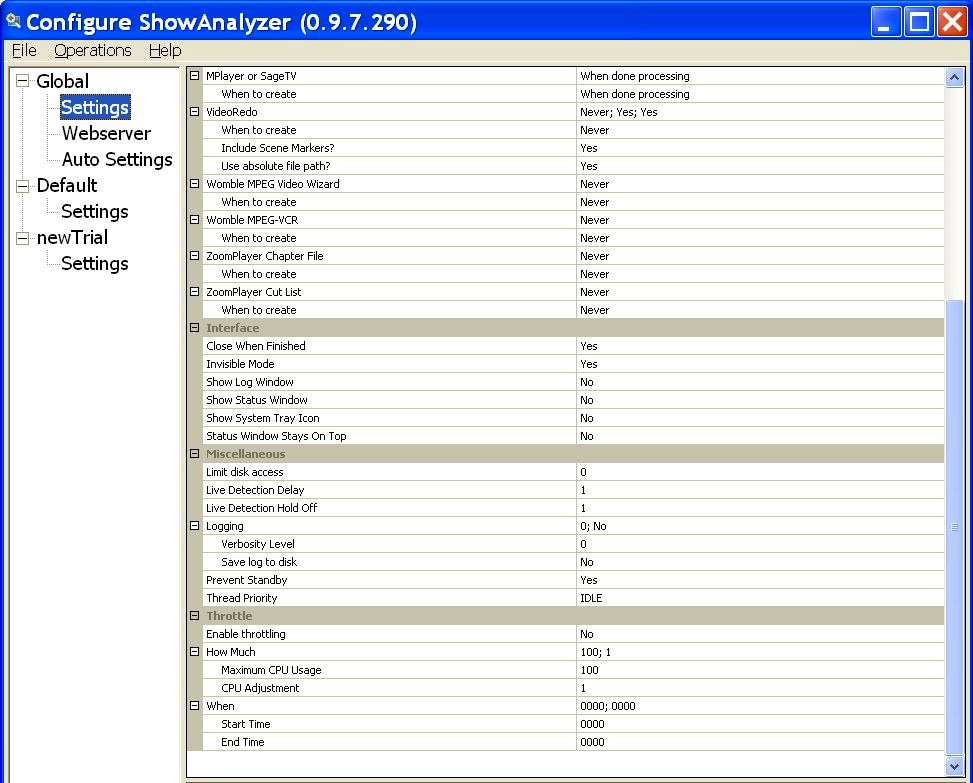
Finally these are my global show analyzer settings. They keep ShowAnalyzer hidden in the background while it generates the right commercial skip files SageTV can recognize.
All of this yields the following beautiful result: Highlighted commercial segments in my show time line and auto-skipping of ads during playback.

Hope this helps someone.
–UPDATE 12/16/13–
Settings files for version 0.97 from my backups. I now use Comskip.
Comments
3 responses to “My ShowAnalyzer settings”
[…] saw this during an episode of Glee for the first time a couple of weeks ago. Thanks for that commercial skip. Anyhow, I loved it…think it is totally genius and want to see more ad campaigns like this […]
Holy old post revival I know, but I am messing with more a more recent version of ShowAnalyzer and wondered if you had any tips for tuning it?
Hi Steve,
I don’t use ShowAnalyzer anymore. It stopped working for me with Release 1.0 and up and I couldn’t get a hold of the developer. Looked to me like it just sorta died. I use comskip now and it’s works albeit not as good as Showanalyzer ever worked. The problem with Showanalyzer I had was that it wouldn’t scan TS video files in version .97 and version 1.0 and higher which supposedly had TS file support would either crash or scan files indefintely, so I moved to comskip which supports a much higher number of file formats.
Comskip isn’t perfect and mine isn’t tuned very well. I still haven’t found a good post with settings tuned for the west coast prime time shows, but it is what it is. I’ve posted my config files from version .97 in the article and you can just download them all in a zip file. Hope that helps.
Cheers,
David