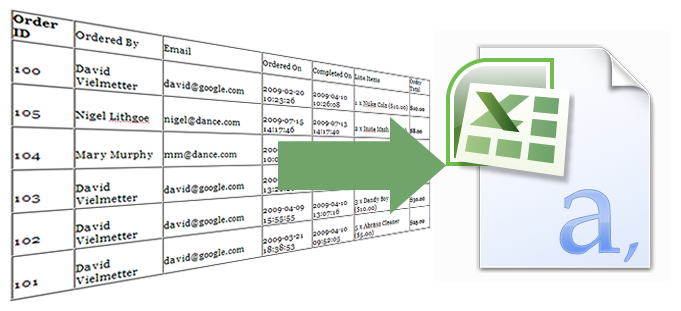
This post is a tutorial on how to export an HTML table in CSV format using a PHP script. The table is generated with data from a MySQL database containing orders, products and totals. I’ve dummed down the database and php code so it is easier to understand and will walk you through each step required to go export a table of orders in the database to CSV. It is true that you can do this directly from phpMyAdmin, but the point of this post is to teach the reader how to do it themselves. It took me a day of fiddling around and searching various forums and wished an article like this had been around then.First you’ll need a PHP development environment to test your application. You could use Adobe Dreamweaver, but if you’re on a budget like me you’ll probably like Komodo Edit and XAMPP. Both are free of charge and will do the job. The goal of this exercise is to quickly turn an HTML table into a CSV file we can later open with Excel or some other charting program.
To follow along, simply download the database SQL and PHP source files below (right-click & save target as… to download):

[Step 1] Now that you’ve got all the files, you’ll need to import the SQL file into a database called test using phpMyAdmin (provided with your XAMPP installation). Next you’ll need to copy the 2 php files into your htdocs directory or a subdirectory within hdocs in XAMPP. Open each file for editing and fire up your XAMPP control panel to launch Apache and MySQL.
NOTE: My test environment uses a blank password for the root MySQL account to authenticate to the database. If your setup uses a different password you’ll need to modify the blank password in table.php.
[Step 2] Navigate your browser to http://localhost/table.php or http://localhost/subdirectory/table.php and you should see a table of values. At the bottom of the page you’ll notice a button that says “Export table to CSV.” Clicking it should pop up a CSV file with the same contents as the table for you to save.
[Step 3] The basic concept of this export is to create a variable (I named it $csv_output) and to store all of your data in it separated by comma’s (,) and newline characters (\n).
$csv_output .= $row['orders_id'] . ", "; $csv_output .= $row['value'] . "\n";
To jump to a new cell I append a comma (,) and to jump to a new row I append a newline character (\n).
[Step 4] It took me a while to figure out that I couldn’t successfully export my table from the table.php file directly because table.php has an existing header defined (actually in the application I was working on the header was injected and thus even harder to find) and a new header cannot be re-declared.
<head> <meta http-equiv="Content-Type" content="text/html; charset=utf-8" /> <title>Orders Table</title> </head>
So, to get around this I created the export.php file without a header. This file doesn’t need to be displayed, so omitting the header is not a big deal. All this file will do is generate my CSV output and print it to a CSV file with the appropriate CSV file header.
[Step 5] The only thing left to do now was to get my CSV variables ($csv_hdr and $csv_output) from the table.php file to the export.php file. To do this I simply use an HTML form and 2 hidden fields.
<form name="export" action="export.php" method="post"> <input type="submit" value="Export table to CSV"> <input type="hidden" value="<? echo $csv_hdr; ?>" name="csv_hdr"> <input type="hidden" value="<? echo $csv_output; ?>" name="csv_output"> </form>
Now I can simply get the contents of my variables using $_POST in my export.php file, and continue with exporting my CSV file.
<?php
/*
This file will generate our CSV table. There is nothing to display on this page,
it is simply used to generate our CSV file and then exit. That way we won't be
re-directed after pressing the export to CSV button on the previous page.
*/
/*
First we'll generate an output variable called out. It'll have all of our text
for the CSV file.
*/
$out = '';
/*Next we'll check to see if our variables posted and if they did we'll simply
append them to out.
*/
if (isset($_POST['csv_hdr'])) {
$out .= $_POST['csv_hdr'];
$out .= "\n";
}
if (isset($_POST['csv_output'])) {
$out .= $_POST['csv_output'];
}
/*Now we're ready to create a file. This method generates a filename based on
the current date & time.
*/
$filename = $file."_".date("Y-m-d_H-i",time());
//Generate the CSV file header
header("Content-type: application/vnd.ms-excel");
header("Content-disposition: csv" . date("Y-m-d") . ".csv");
header("Content-disposition: filename=".$filename.".csv");
//Print the contents of out to the generated file.
print $out;
//Exit the script
exit;
?>
That’s it folks. That’s how to export an HTML table to CSV in 5 easy to understand steps.
Thanks David,
A lovely, simple, set-by-step explanation of something I have just spent the last 4 hours trying to find via web-search.
Everything worked well except that if the user enters a comma in the text the results get pushed across one column.
Kind regards.
That’s a good point, I guess you could use string replace to eliminate commas in the user input…something like str_replace(“,”, $value). Glad you found my tutorial overall useful
Really excellent and simple script! I did require the str_replace function and added full php tags (short tags are turned off in my dev environment and production sites) but other than that, it was easily adaptable to my projects, which ALL require html tables that are exportable as .csv.
Kudos!
THE BEST!!!
THANKS A LOT FOR POSTING THIS GREAT SCRIPT!
THANKS! REALLY HELPFUL!
This is just so cool and exciting – the script that best suited my needs that I came across in quite a few hours of searching – well done! Just needed some fine-tuning like catering for missing values that led to data going into the wrong columns.
@Rose the doze
Sorry – no missing values – I had commas in some of the data so will have to use str_replace etc. No sweat
OMG thanks thanks a lot, works, i dont believe, i make the changes to my database and table and woooorks..
You doesnt have an idea how much this script help me to my work..
Thanks, thanks.
How can you define a saving path here?
Jeff,
Do you mean the path where the downloaded file will be saved? If so, there’s no way you can set that since it would be something each user would specify based on their particular browser/operating system.
David
Dear David,
I downloaded your script with a smile on my face but unfortunately it’s not saving an HTML table to CSV data. You should change the title, I think.
Huh, I guess you’re right. Never thought about it like that because I had the html table coded up before the exporting csv stuff
.
Hi David,
Had been searching the net for a couple of hours on how to do this and was about to give up when I came across your site – appreciate the sharing… new to php & mysql and having complete examples with comments really helps…
Cheers
Perfect! Worked like a charm. Thanks man.
Great script! Fantastic, very nice. I just have one small problem and I hope you can advise.
I’m new to PHP. I’ve built a PHP webform and linked it to an SQL Server 2005 database. User completes the webform and submits it. They have the option of doing a search by Date to see specific data. The also have the option of exporting the data to an Excel spreadsheet. We’re only talking about a little data – only 5 columns and only 6 or 7 rows of data.
Since I’m using PHP and SQL Server, I’ve had to tweak a few MySQL things to get it to work. I’ve almost got the Excel export working. However, I can only get the column headers and the first database record to display in the Excel spreadsheet. The other four or five records won’t display, only the first. I had problems getting $csv_output to work and had to really tweak and move it around to get it to work and diplay a record.
Would you mind taking a look at the code below and show me a better way of doing things. I know what is causing only one database record to export, but I just don’t have the PHP background to get all the records to export.
<?
$connection_string = 'DRIVER={SQL Server};SERVER=EBSPSQL3\EBSDSS2;DATABASE=PPAD';
$user = 'PPadUser';
$pass = 'rmot22';
$connection = odbc_connect( $connection_string, $user, $pass );
$term = $_POST['term'];
$result=odbc_exec($connection,"SELECT CONVERT (char(10), submitdate, 101) AS submitdate, stationid, serialnum, empnum, category, type, description FROM patriot1 WHERE submitdate = '$term'");
$trans = get_html_translation_table(HTML_ENTITIES, ENT_QUOTES);
$results_found = false;
while ($row = odbc_fetch_array($result)) {
$body = str_replace('+',' ', urlencode(stripslashes($row['description'])));
$submitdate = substr($row['submitdate'], 0, 10);
$csv_hdr = "Station ID, Serial Number, Submitted By, Category, Type, Description";
$csv_output0 = $row['stationid'] . ", ";
$csv_output1 = $row['serialnum'] . ", ";
$csv_output2 = $row['empnum'] . ", ";
$csv_output3 = $row['category'] . ", ";
$csv_output4 = $row['type'] . ", ";
$csv_output5 = $row['description'] . ", ";
echo "\n”;
echo “.\n”;
“\n”;
echo “\n”;
echo “Date\n”;
echo “Station ID\n”;
“Serial Number\n”;
echo “\n”;
echo “\n”;
echo “$submitdate\n”;
echo “$row[stationid]\n”;
echo “$row[serialnum]\n”;
echo “\n”;
echo “\n”;
echo “Submitted By\n”;
echo “Category\n”;
echo “Type\n”;
echo “\n”;
echo “\n”;
echo “$row[empnum]\n”;
echo “$row[category]\n”;
echo “$row[type]\n”;
echo “\n”;
echo “\n”;
echo “Description\n”;
echo “\n”;
echo “\n”;
echo “$row[description]\n”;
echo “\n”;
echo “”;
$results_found = true;
}
if (!$results_found)
{
echo ‘No Results Found.‘;
}
?>
Hi David,
It looks like you are generating just one line with your PHP output in the area where you are echoing out the following:
Really what you want to do is utilize a loop to keep appending to your output. In PHP the . (dot) is used to append strings, so that is what I’m doing in these lines:
$csv_output .= $row['orders_id'] . “, “;
As you can see in the line above there is a dot infront of the equal sign which means add the following stuff to my $csv_output. Each time the loop goes over this statement whatever is in the orders_id row will be appended to $csv_output separated by a comma so you’d get this:
Row ID
1,2,3,4,5….
If you statically generate an output like what you’ve done:
echo $row['orders_id']
You’ll get just the first entry in the array. To get all of them you’ll need to create a loop such as a while or for that will iterate through each row and spit out an orders_id for each row.
while there are more rows in our SQL query, do the following or:
while ($row = mysql_fetch_assoc($result)) {
echo $row['orders_id'];
}
Hope that helps…
Here’s how I had to alter the export script to get it to work with SQL server. I’m sure there is a better way.
I still can’t get the second row of database records to export to Excel….
Forgot to paste the script….
Nice tutorial….Tq
Excellent script! Works great.
One question: Can PHP automatically format the fonts and column background colors when you export or does that require a 3rd party software (i.e. PHPPear or something similar)?
Mike,
A CSV file by definition won’t have any colors or column background because it just contains (C)omma (S)eparated (V)values or data. However you could export to an HTML file that contained within a simple table and with within the rows of that table you could apply formatting such as unique background color to every other row or column…things of that nature. If you wanted to export with row/column colors to a Microsoft Excel spreadsheet, you’d have to figure out the structure of that type of file first before you can build it with PHP. I’m not a Microsoft Excel expert so you’ll have to find how to do that somewhere else on the Internets.
Good luck!
This is perfect – thanks. Wish I’d found it sooner!
Hey David,
I cant seem to get your code to work…. i keep getting commented out text printing on the screen.
thank you very much this was needed…..tons of thnx!!!
It saved me a lot of hard work. I was searching for a guideline that can convert table to csv. Thank. Neaz
This is the highlight of my week. I think I love you. Thank you.
Why not simply use
$html = ‘MyTable’;
$html = strip_tags($html, ”); //Remove all html except and
$html = str_replace(”,’,',$html); //Replace with commas
$html = strip_tags($html); //Get rid of remaining html
?
Ok, you might need a couple more lines for inserting line breaks and to get rid of commas at end of lines, but that does what all your php does doesn’t it, without basically just repeating the concatenation code for both html and csv?
Ok, well my comment doesn’t make much sense after all the html has been stripped out, but maybe you can guess where it goes!!
Hi,
Thank you for this script!!
Is it possible to run this script with a cron command?
How do i need to set this up?
greetings,
Dhoom
Thank you very much dude… It’s working fine, but you need to add some minor thing to add your script. That is instead of using this “<?" notation better use "<?php"…..:)
Thanks.. Good Post…..
Hah, yes. that is a good idea. <? can be confused with XML document. I'll fix that.
Hi David,
Your codes are just amazing. But i have a situation here, I have a PHP page where i am showing more than 5000 rows with pagination.
What about the PHP Table with pagination? How to download the entire table?
David first and foremost – excellent job on this tute – I had to make some changes to suit my purposes, but due to your clear explanation and clean layout it went without a hitch. I have a request if at all possible in that when you click on the download button for excel doc that it will also trigger a send email function that can grab this excel doc that is being made on the fly and send along either in the body of an email or as an attachment. If the doc was being saved to the server I would have no problem in setting this trigger, but since it is being created on the fly I do not know how to grab it (if possible) – thanks in advance and great job once again!
Hi J Pena,
Sending a file via email is controlled by the operating system and from a browser I do not have the ability to initiate that sort of a “trigger”. What could be done with the code is that rather than popping up the file for download, the file is stored stored in a variable and then the page re-directs to an email form. The email form accepts a POST variable containing the file and attaches that to a message the user can send from the form. The problem with this approach is of course that you won’t have an address book or the convenience of your email program in an email form. You’ll have to enter all the information manually.
Hope it helps,
David.
for those european characters that get messed up in csv, encode the final sting with this:
//these 2 invisible characters will make correct encoding to excel
echo chr(255).chr(254).iconv(“UTF-8″, “UTF-16LE//IGNORE”, $data);
?>
Very nice! Thanks for the tip.
Just wanted to let people know that if your first column header is ‘ID’ in capital letters, like many database tables, then a SYLK file format will be created. This is a bug microsoft knows about and had me scratching my head for a bit.
Hello. Thank you for the script, but there is some problems (maybe on my end)
1. It gives me ” Undefined variable: csv_output ” // Tried taking out the dot, but it will give me the last value
2. Still the headers are imprinted (actually what’s below in table.php) // Even in the original file i’ve got from you
Tried strip_tags, but in vain.
Waiting for a answer, or something.
Tyvm !
It seems that what’s imprinted in the csv file is this ” ( ! ) Notice: Undefined variable: file in C:\wamp\www\A\Excel\export.php on line 14 ”
If i delete the $file , in export.php, then when opening i get some kind of errors about filetype..
Delete the comments, i’ve fixed it. Thank you very much ! Cheers!
He Man,
This is great! It’s working like a charm
Very happy here!
Thanks.
Bravo, sir. Working like a charm
Fabulous script! I’m thinking, however, that the purpose might be served better by $csv_output = join/glue/implode($row,”,”)? To this point, you could do the same for the headers if you had them stored in an array rather than listed individually. Perhaps combine the names of the fields from the db with mysql_field_name(), pushed into an array and also join’ed?
Of course, you’d still have to pre-process some $row members to clean them up (if necessary).
Just my 2 cents.
—–Mike
March 28, 2011 at 11:18 am
One question: Can PHP automatically format the fonts and column background colors when you export or does that require a 3rd party software (i.e. PHPPear or something similar)?—–
@Mike: There is a great OOP script called PHPExcel that expertly outputs any data to a true Excel spreadsheet (even a PDF) with all the formatting you can dream up. The learning curve is steep but once you’ve mastered it, it’s awesome!
Hope this helps.