Again as Microsoft loves to do, here we have a perfect example of the type implementation of a feature that is essentially the basis for my entire career. Let’s talk about Windows Power Mode which is not to be confused with Windows Power Plan. First off, they’re both Windows Power Settings which is where the confusion comes in. Windows Power Plans are the legacy power settings that have been around since Windows 95 and exist in the Windows Control Panel, while Windows Power Mode is a relatively new setting found in Windows 11 on modern laptop computers that have Intel processors and the Intel PPM Provisioning Package installed AND where the legacy Power Plan is set to Balanced.
So, If you’re seeing this:
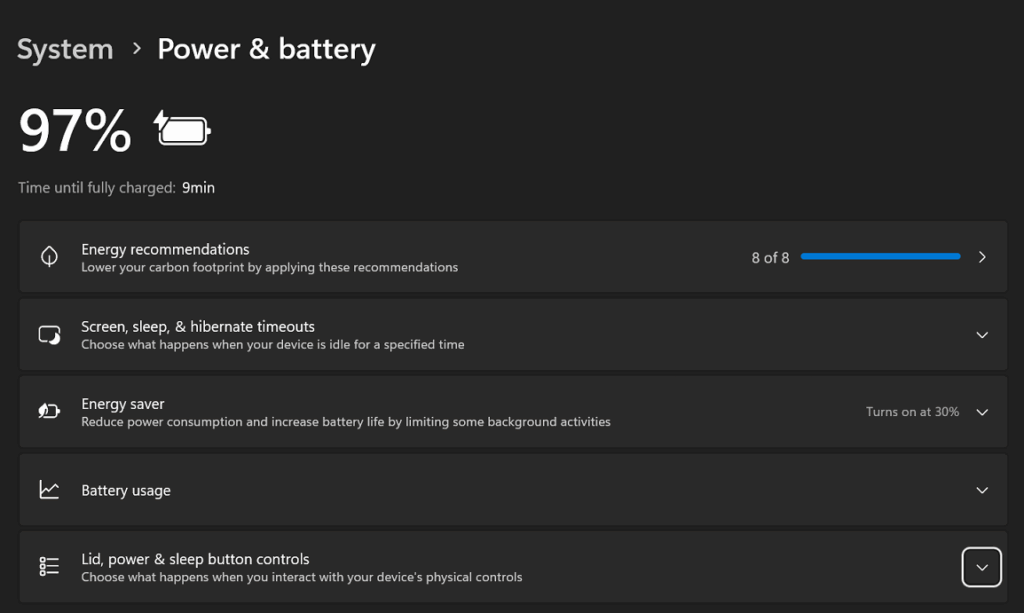
And you’re expecting this:

You’ll need the Intel PPM Provisioning Package (likely from your computer manufacturers website) and you’ll need to ensure that your Control Panel Power Plan is set to “Balanced”

Only when all those planets align, will you see that setting in Windows 11. Further complicating things is that adjusting your Power Mode does some of the things that your Power Plan used to do and it does somethings that you cannot do with the legacy Power Plan. It’s all Microsoft confusing. So thanks Microsoft…for a near 40 year career fixing things that are too confusing for normal people to understand.