I don’t like Windows Server Update Services (WSUS), but it’s the free alternative many companies select over the higher cost alternatives like Intune or Systems Center. So, today I had to repair a damaged WSUS installation. Turns out someone uninstalled SQL Server 2005 Express not realizing WSUS was using it. Now firing up the WSUS console just yielded an error complaining about the missing SQL database. So like any good troubleshootin IT guy the first thing I tried was to uninstall WSUS…sadly, however the product would not uninstall or re-install. Here’s how I finally got rid of it:
[the problem]
- WSUS 3.0 SP2 is missing SQL server Express or has been damaged somehow.
- When opening WSUS you receive a SQL error when trying to connect.
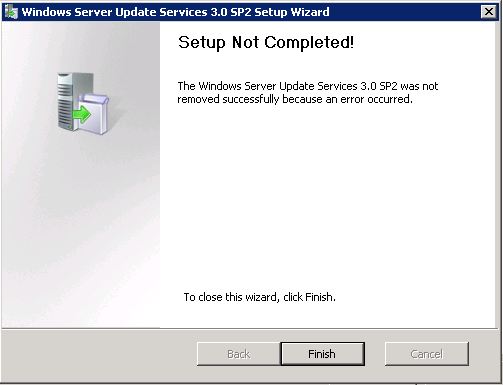
- You cannot uninstall WSUS. An attempt to uninstall/re-install fails with an error.
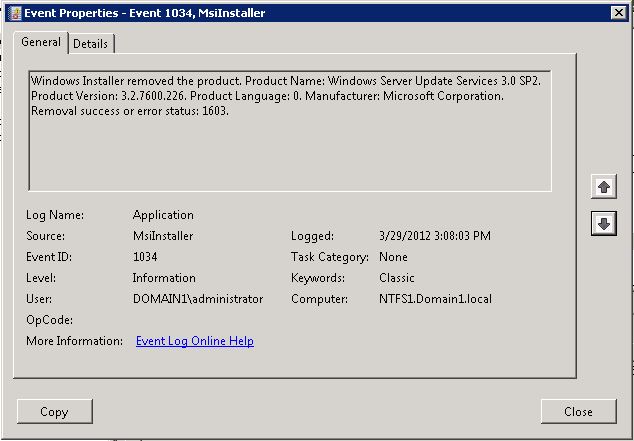
- The event log shows eventid: 1034 with “Removal success or error status: 1603”
[the solution]
[step 1] Open REGEDIT in and locate: HKLMSoftwareMicrosoftUpdate ServicesServerSetup
[step 2] Change the value of “wYukonInstalled” to 0x0 (zero) and ensure that the value of “SqlInstanceIsRemote” is oxo (zero).
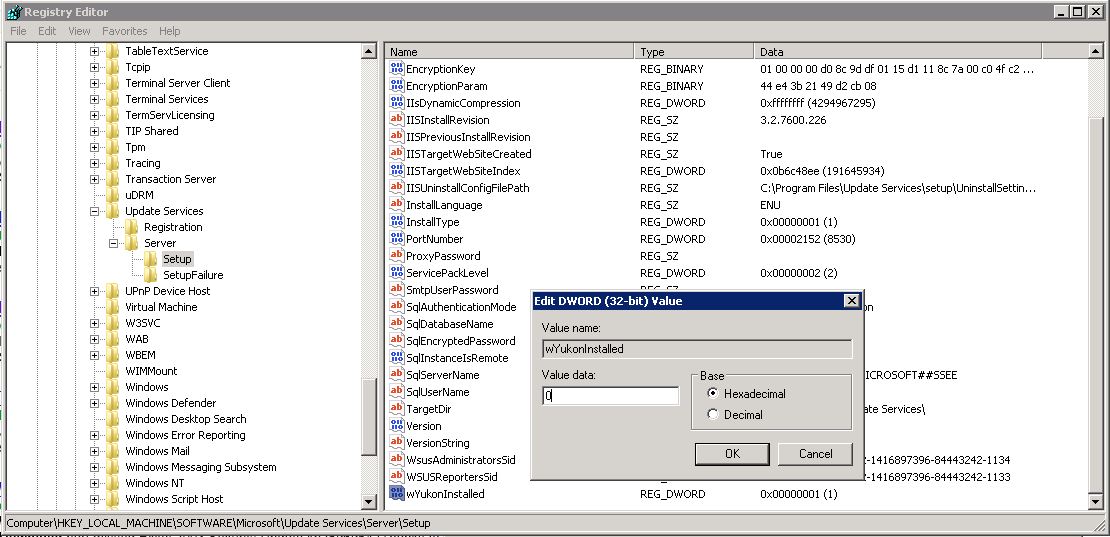
[step 3] Download and run the WSUS 3.0 SP2 installer. You should now be able to remove the product using the installer. Select none of the check boxes (to remove database, logs or updates), we can remove these manually later.
[step 4] Download and install SQL Server 2008 Express R2 (or SQL Server 2005 Express). Make sure you can connect to the instance you create with SQL Server Management Studio.
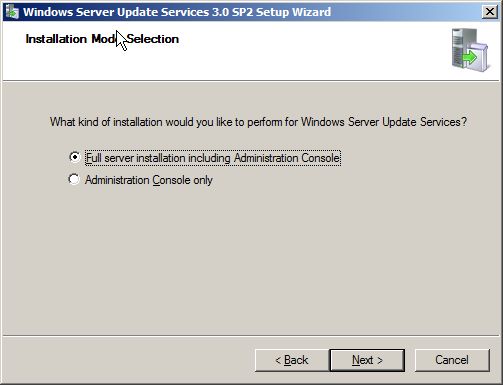
[step 5] Run the WSUS 3.0 SP2 installer again and (this time it should allow you to install). Install the Full product including management console.
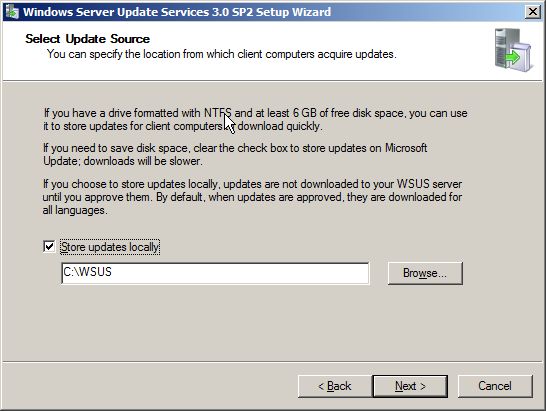
[step 6] Select a location with plenty of space to store the downloaded updates (I recommend at least 20GB of space).
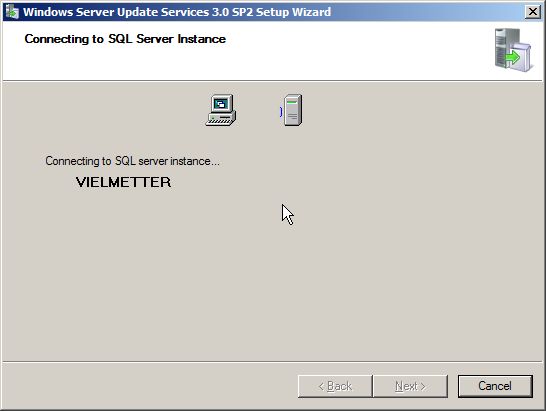
[step 7] Select the option to use an existing database server.
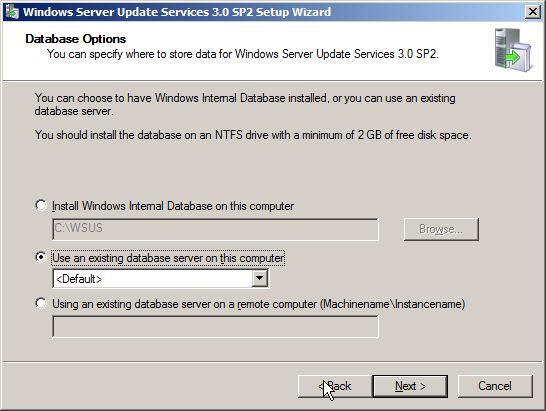
[step 8] It should find the SQL Server 2008 Express instance you installed and tested in [step 4].
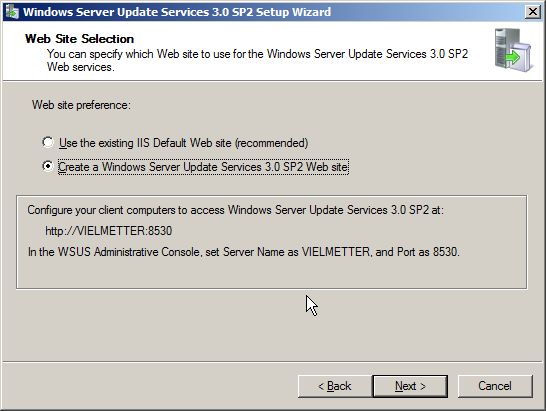
[step 9] Create a separate Windows Update Services website (I don’t recommend using the default IIS website).
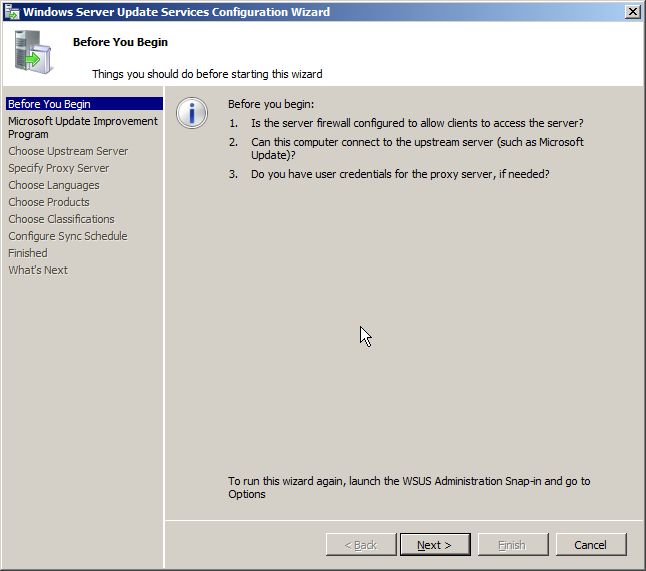
[step 10] Step through the WSUS configuration wizard.
That’s it.
Comments
80 responses to “WSUS won’t uninstall or re-install”
I would like to thank you . . thank you very much
Thanks David for this post. You saved me a lot of grief!
i love you.
This fix STILL works. I had a Virtual Disk on my Dell Server (Windows Storage Server 2008 R2) get corrupted and lost the folder where the SQL database was. I made the modifications to the registry and uninstalled the ROLE of WSUS. It worked!
Thanks you SO MUCH. This saved me days of reinstalling the whole server and all the files (3.5Tb).
Tom Mynar
Had same issue.. but worked with your help..
Thank you for sharing
hay man you’re a legend
thanks
Wow setting the wYukon key to 0 fixed my problems. I was then able to uninstall and reinstall WSUS. Thank you so much.
Great thanks to you David, for this briliant solution. I’ve spent a lot of time trying to solve the uninstallation problem (I always got the 0x80070643 error code), but finally I found your post and your solution worked perfectly : WSUS got uninstalled and I’ll now reinstall it.
Thank you so much again and congratulations for your work and your web site.
Excellent i did step by step everything work perfect again. Thanks.
Excellent guide! It solved my problems with updates and the console not showing status on a Windows SBS 2008-server. Thank you from Sweden
It works like a charm. Thanks !!!!!!
Superb article and its worked fine………… thanks for posting this but still there is no KB found in microsoft site.. thanks again.
Thanks
Athick
Hi,
after perform this above steps the clients are not reporting to console. i have specified the in GP http://myservername:8530. still the same issue . can any one help me on this case.
Thanks
Athick
HI,
Your blog helped me to resolve the issue. Thanx a lott
Finally able to uninstall WSUS and WID after hours and hours of fruitless search… Thanks!
Thanks David. This saved me a ton of time trying to get my WSUS reloaded.
Thanks David. Finally got rid of WSUS on our Server.
David, you’re the best!
I’m so happy because I struggle really long with this problem.
Really really thanks for posting this!
Kind regards, Mick
thanks!!!!
totally saved me. I’ve been looking for a solution for this for a long time. This is so simple and clear. FYI – I used windows internal database.
Thank you for publishing this. It saved my bacon!
Thank you.
Nice work… Although our WSUS is now 140gig… 🙁
Ahhh the days of 20gig of updates
Thanks again
You are a legend. Thanks for the help, been struggling to do this all day.
[…] WSUS won't uninstall or re-install | David Vielmetter – Apr 2, 2012. Now firing up the WSUS console just yielded an error complaining about the missing SQL database. So like any. The event log shows eventid: 1034 with “ Removal success or error status: 1603”. [the solution]. [step 4] Download and install SQL Server 2008 Express R2 (or SQL Server 2005 Express). […]
This has been a problem for me for months. I decided to try your solution. Thankyou, changing the wYukonInstalled value allowed me to uninstall wsus finally. Hallelujah.